Free Image Resizer

Crop, scale, and adjust your images instantly to match social media presets or custom website dimensions. Completely free, no registration required.

3 Simple Steps to Resize

1

Upload Image: Click the upload button to select any PNG or JPG from your device.

2

Select Format: Pick your aspect ratio or social media preset from the left sidebar.

3

Download: Drag and zoom the image inside the crop window, then hit download.

Instantly resize images for social media or your website

Instant Aspect Ratios

Switch between popular sizing coordinates (1:1, 16:9, 4:3) with a single click. The canvas dynamically shifts scales immediately.
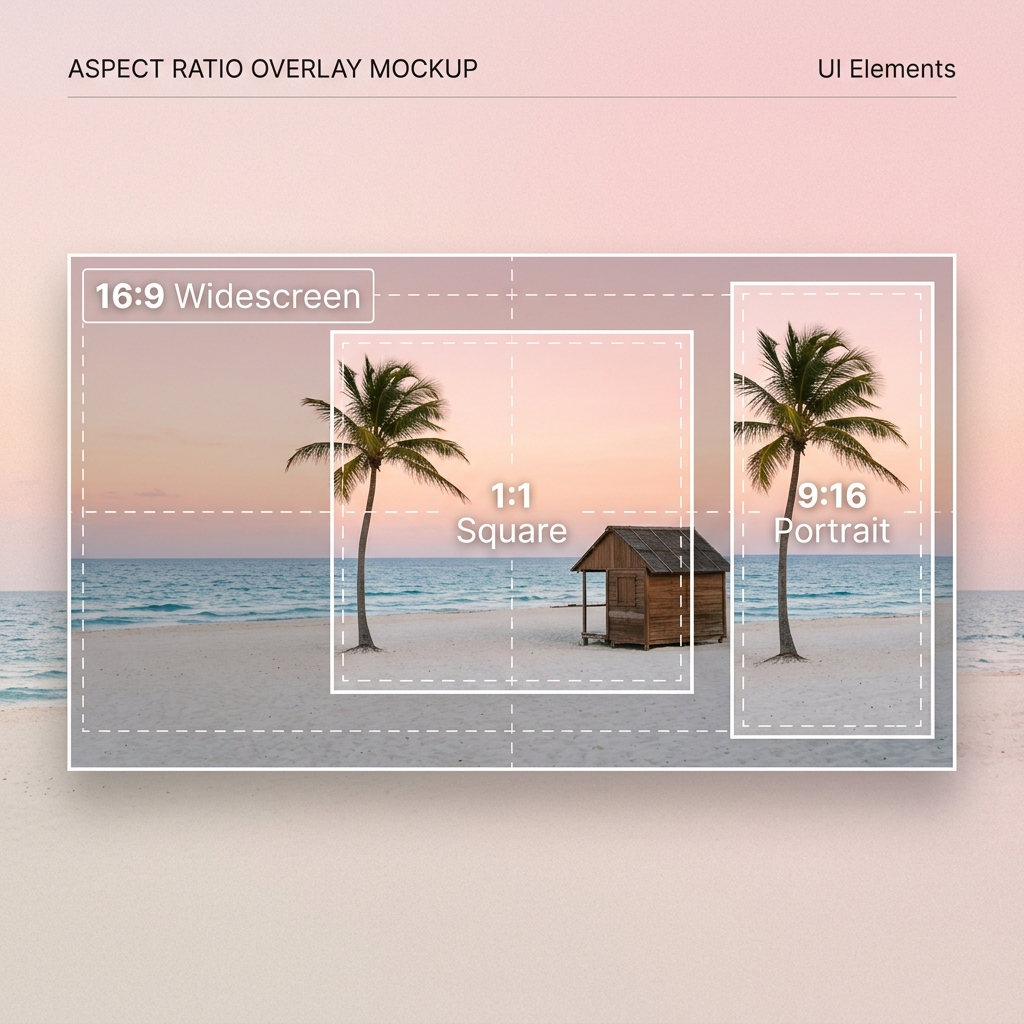
Crop Aspect Ratios

Social Media Formats

Includes exact dimension templates for Instagram Posts/Stories, Facebook Covers, YouTube Thumbnails, and Twitter Headers.
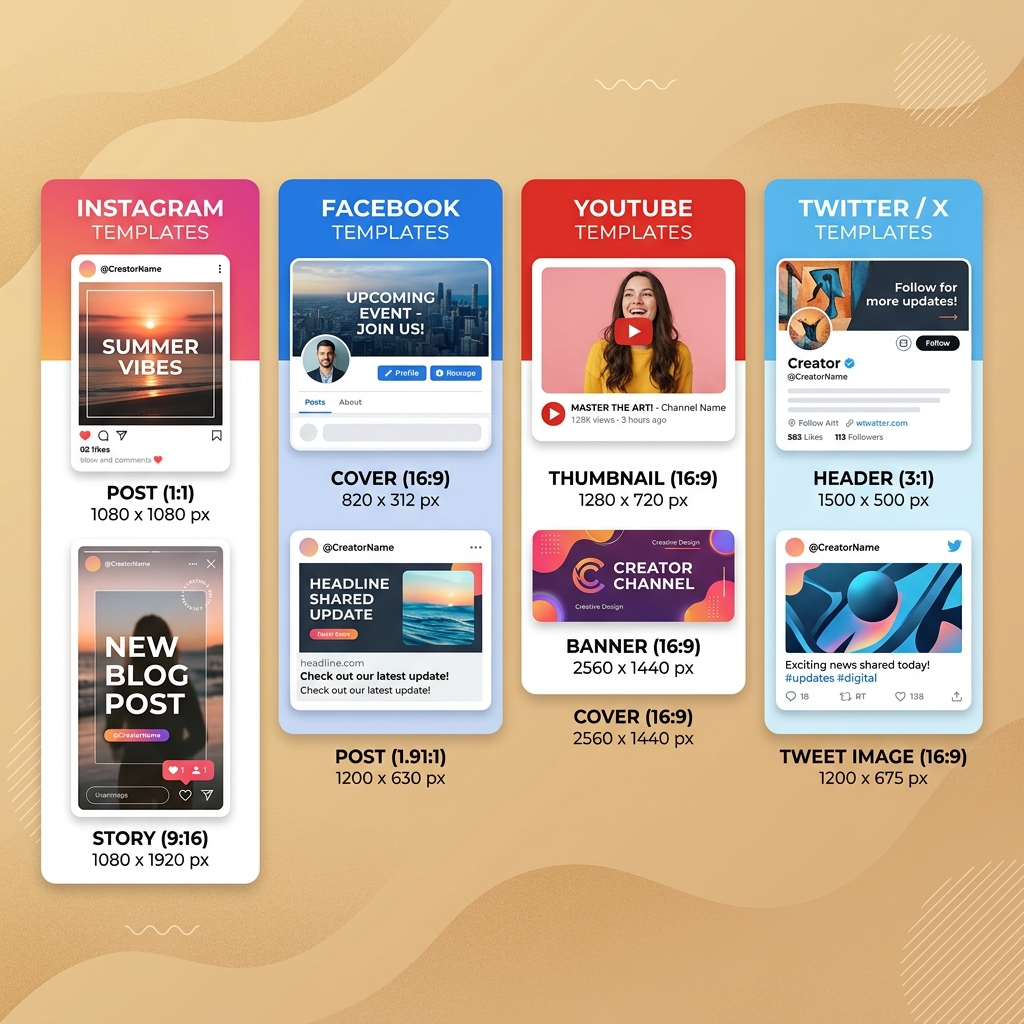
Social Media Templates

Manual Focus & Zoom

Drag your image freely inside the cropping boundary box and scale it up or down to align the focus region perfectly.
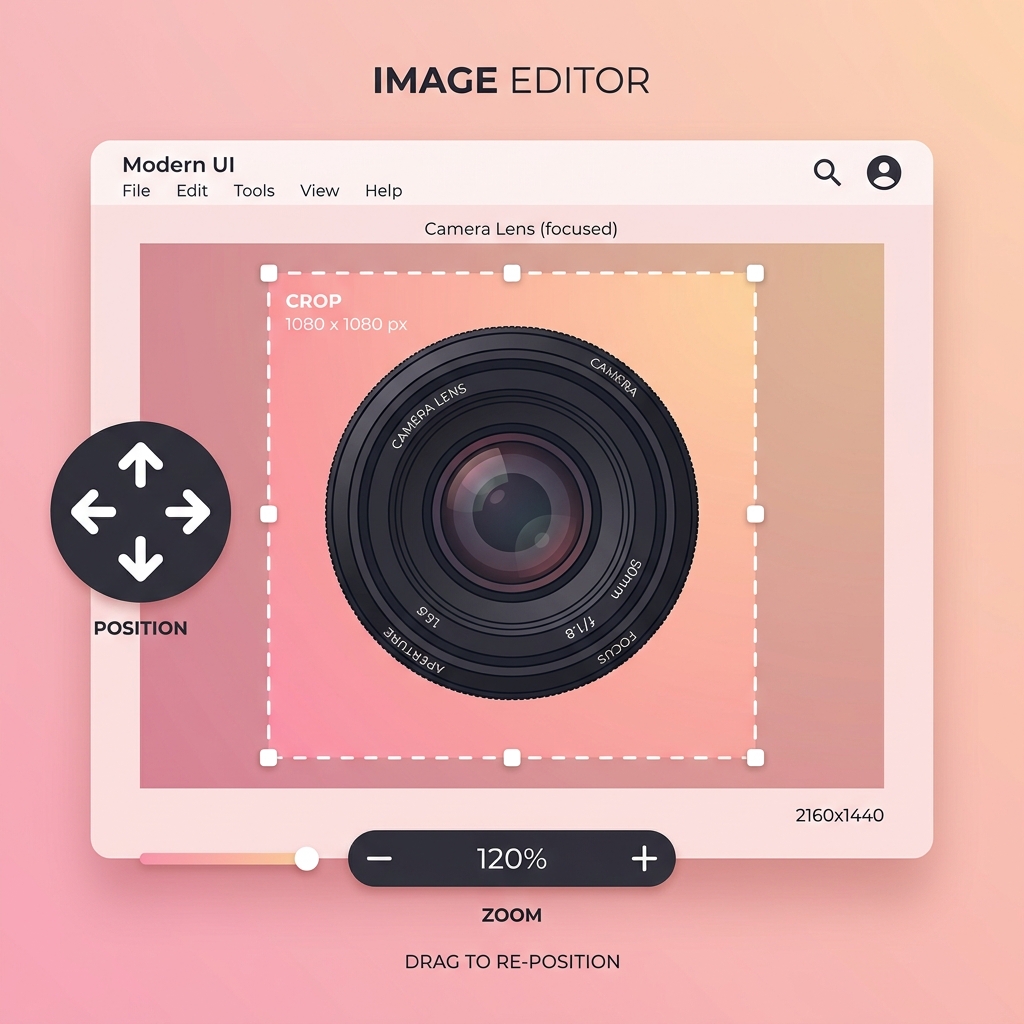

Zoom and Focus Position

Tips for resizing images

Match Sizing Presets

Platforms like Instagram or YouTube have strict layout specifications. Choose the correct social preset from our sidebar to prevent auto-cropping issues on launch.

Adjust Zoom for Focus

Use the scale slider to focus on the key subject of your photo. Drag the image inside the red cropping border to ensure it fits nicely within the final aspect ratio bounds.

Verify Image Quality

Resizing an image to a very large preset (like a YouTube Banner) works best when using a high-resolution source file. This keeps the final exported file crisp and clear.

Lossless Formats

Our resizer outputs high-quality file downloads programmatically from the browser, which preserves original color channels and details without server-side compression loss.

Launch Process

Find more methods to build your online presence

Frequently Asked Questions

Yes, the WebsHigher Image Resizer is entirely free to use. You can upload, customize crops, and download your resized photos with zero hidden costs, subscriptions, or watermarks.

Our resizer supports common web image formats, including JPEG, PNG, WEBP, and GIF files. Output downloads are saved in standard high-quality PNG format.

Absolutely. Your files are processed entirely inside your local browser using the HTML5 File Reader and Canvas APIs. No images are uploaded to any external servers, keeping your media completely private and secure.

Yes! Once an image is uploaded, you can drag it inside the red border preview window using your mouse or touch swipe, and zoom it in/out using the scale slider to select the exact framing before download.

WebsHigher Logo